Video Layout Algorithm
The Problem
When I started building the live streaming feature for Gigaverse, I ran into what seemed like a simple problem: display multiple video streams on screen.
Desktop users have landscape cameras (16:9). Mobile users stream in portrait (9:16). If you attempt to place these conflicting aspect ratios side-by-side in a naive layout, you force a compromise: letterboxing - preserving the aspect ratio but filling the empty space with black bars.
In a professional live stream, those black bars are the enemy. Every pixel matters. Wasted space looks unprofessional and makes the actual content significantly smaller than it needs to be.
What Doesn’t Work
CSS Grid
Grid gives you equal cells, but videos don’t have equal aspect ratios. You end up with either gaps or distortion.
Flexbox with object-fit: contain
This preserves aspect ratios but creates letterboxing - the wasted black bars problem.
object-fit: cover with fixed containers
This fills the space but crops videos arbitrarily. A portrait video in a landscape container loses half its content.
The Breakthrough
I found the key insight in an unexpected place: WebRTC’s Android SDK. Specifically, in RendererCommon.java.
The WebRTC team had already solved this for video rendering. Their approach: instead of forcing videos into fixed containers, let each video negotiate how much cropping it can tolerate.
The Constraint System
Every video gets a “flexibility range”:
- A 16:9 landscape can be cropped toward square (1:1), but not past it
- A 9:16 portrait can be cropped toward square, but not past it
- The limit: 56.25% of the original video must remain visible
This number comes from WebRTC’s calculations. It’s the sweet spot where videos still look good but have enough flexibility to fill space efficiently.
Tree-Based Layouts
Instead of grids, I built a tree structure:
row(A, B)           // tiles side by side
col(A, B)           // tiles stacked vertically
row(A, col(B, C))   // A on left, B and C stacked on right
The tree defines the topology. The constraint solver figures out the exact sizes.
The Solution
Here’s the algorithm in action. Add tiles and watch how they fill the space with minimal cropping:
The Solution: Constraint-Based Layout
Videos negotiate their sizes. No wasted space, proportional cropping.
Add tiles to see the algorithm in action
How It Works
- Topology selection: Based on tile count and orientations, pick the best arrangement
- Constraint building: Each tile declares its min/max aspect ratios
- Space distribution: Allocate space proportionally based on constraints
- Position calculation: Traverse the tree and compute exact pixel positions
The key innovation is fair distribution. When constraints can’t all be satisfied perfectly, everyone compromises equally. No single video gets sacrificed for the others.
Smart Topology
This is the default layout algorithm used by Gigaverse for live streaming stages. Here are the standard patterns:
| Tiles | Container | Layout |
|---|---|---|
| 2 any | Landscape | Side by side (row) |
| 2 any | Portrait | Stacked (column) |
| 2L + 1M | Landscape | Landscapes stacked left, mobile right |
| 3L | Landscape | Main left, two stacked right |
| 3M | Landscape | Three columns |
But you’re not limited to these patterns. The tree-based structure lets you create any grid layout.
Scalability
The algorithm scales to any number of participants. The tree-based structure means adding support for 4, 5, or more tiles is just a matter of defining new topology patterns:
row(col(A, B), col(C, D))     // 4 tiles: 2x2 grid
row(A, col(B, C, D))          // 4 tiles: main + 3 stacked
col(row(A, B), row(C, D, E))  // 5 tiles: 2 rows
row(col(A, B), col(C, D), E)  // 5 tiles: custom layout
The constraint solver handles any tree depth. Try the interactive demo below to create your own patterns!
Build Your Own Layout
The tree-based structure means you can create any grid pattern. Type a pattern below or try the examples:
Pattern Builder
Create custom layouts using row() and col() functions. Each letter represents a video tile.
Available tiles: A, B, C, D, E, F, G, H, I, J, K, L, M, N, O, P…
Quick Examples:
Enter a pattern and click Apply to see the layout
Production Usage
This algorithm runs in production at Gigaverse, powering their live streaming stages built on LiveKit.
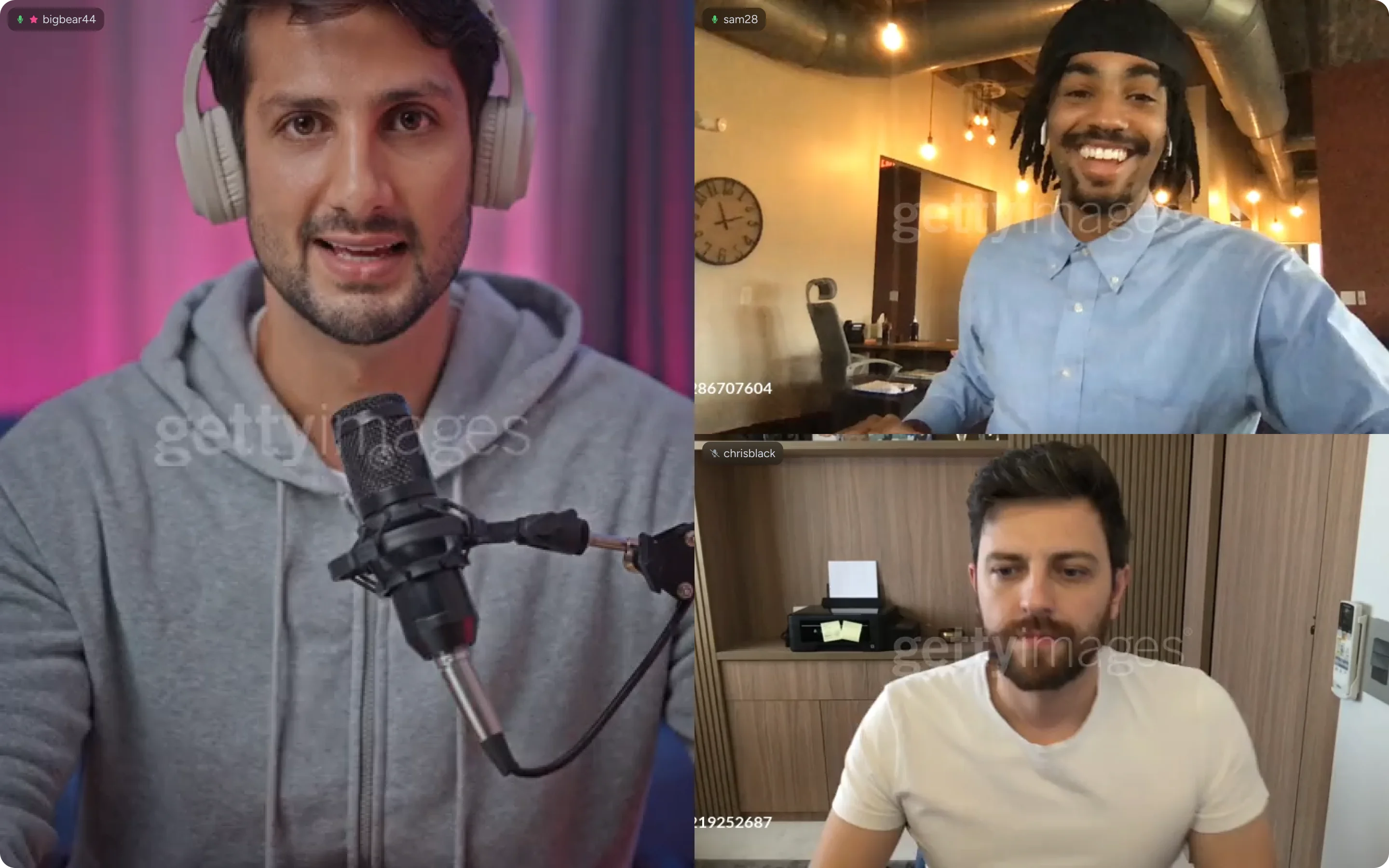
It handles:
- Dynamic participant join/leave
- Mixed desktop and mobile streamers
- Smooth layout transitions
- Any container aspect ratio
The implementation is in React with TypeScript, but the core algorithm is framework-agnostic. The demo on this page is vanilla JavaScript.
What I Learned
Building this taught me that seemingly simple UI problems often hide complex algorithmic challenges. The naive solution (CSS Grid) fails immediately. The correct solution requires understanding:
- Constraint propagation
- Tree traversal
- Proportional space distribution
- Aspect ratio math
Sometimes the best solutions come from unexpected places. In this case, WebRTC’s mobile SDK had already figured out the hard parts. I just needed to adapt it for web layouts.
See it in action with real video streams at Gigaverse.